From Agent to Studio: A Complete Creation Workflow
 AI Musician Team
Move from an Agent conversation to a reviewed Studio submission, follow the actual task, evaluate the audio, and understand public results and Showcase approval.
AI Musician Agent helps you decide what to make and which tool fits. Studio is where you review settings and submit generation or processing. The handoff matters: a prepared action in chat is not a completed song.
Follow this travel-film example, then adapt the sequence for lyrics, arrangements, or separated audio.
1. Start with a brief the Agent can discuss
Open Agent, sign in when prompted, and explain purpose, mood, available material, and limits:
I need a reflective closing theme for a travel film. It should feel hopeful without becoming triumphant, with space for a final spoken sentence. I prefer acoustic textures and no singing. I have my own short guitar recording, but I am also happy to start from a text brief. Help me choose a tool before preparing the next step.
Mentioning a recording in conversation does not upload it. Select the source in the Studio tool that actually needs it.
2. Understand what the handoff contains
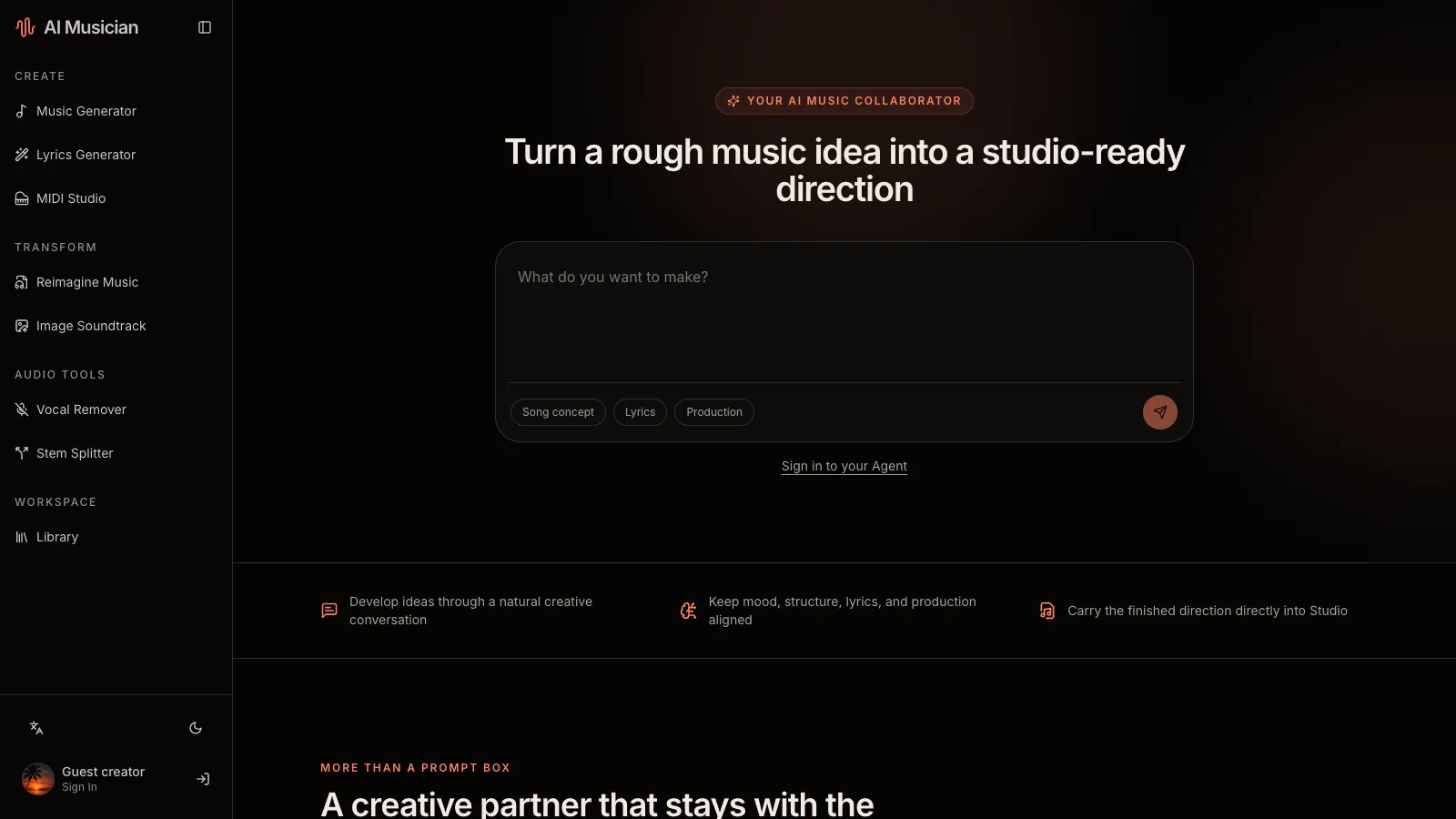
The Agent can describe available tools, read your recent task summaries, and prepare a tool link carrying a prompt, working title, and style direction. Open the destination and check it.
| You need | A useful request |
|---|---|
| A focused direction | “Give me two approaches and explain their musical differences.” |
| The appropriate tool | “Should I start from text or reinterpret my recording?” |
| Context from prior work | “Summarize my recent creations before we choose the next experiment.” |
| A concrete handoff | “Prepare the Studio action for the acoustic instrumental approach.” |
Recent-task summaries are not audio analysis. Mentioning a previous creation does not mean the Agent listened, inspected every lyric, uploaded a file, or submitted generation. Describe what you heard.
3. Choose a destination that matches your source
Choose Music Generator for a fresh composition. Choose Reimagine Music to use your guitar recording, then review its audio mode.
| Starting point | Destination | What to review there |
|---|---|---|
| A description or finished lyrics | Music Generator | Musical brief, instrumental choice, custom lyrics when used |
| A story or unfinished hook | Lyrics Generator | Writing idea and working title |
| Your own audio | Reimagine Music | Source audio, mode, and musical direction |
| A photo or illustration | Image Soundtrack | Source image and soundtrack direction |
| A mixed recording needing voice separation | Vocal Remover | Source recording and separated outputs |
| A mixed recording needing several parts | Stem Splitter | Source recording and available stem outputs |
MIDI Studio is a separate browser editor for notes, tracks, instruments, and tempo, not an automatic task category in the handoff. This workflow does not offer an audio-extension command.
4. Review the actual form before submission
Follow the prepared link and confirm the prompt, title, and style. A carried title is not lyric text. If exact words matter, paste them into the appropriate lyrics field rather than assuming chat copied everything.
For the travel-film example, enable instrumental music and check that the direction leaves room for speech. If using source audio or an image, select it in the destination and verify what the page displays.
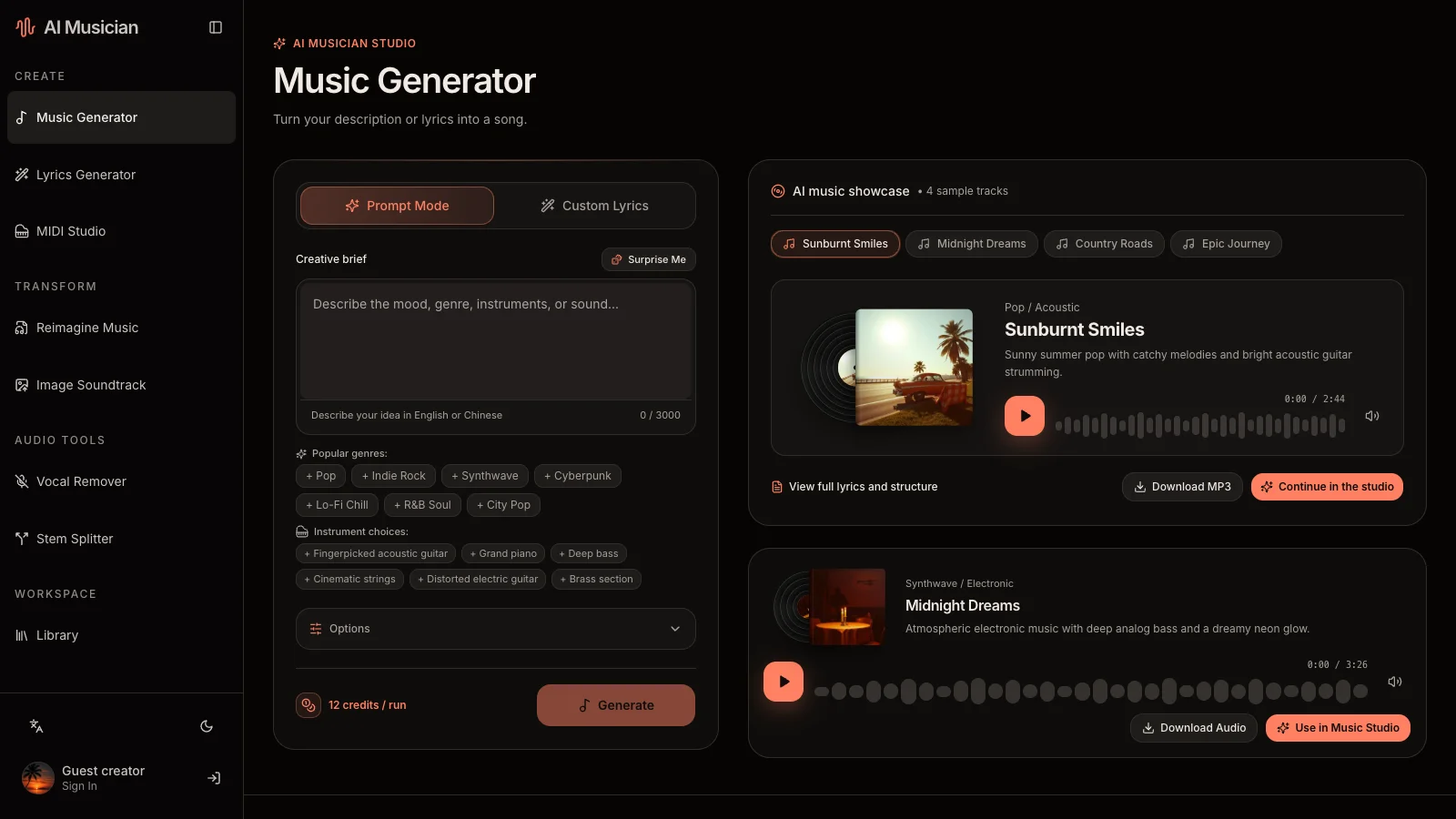
Check the displayed credit cost and visibility notice. Free-plan results are public; subscribers can choose private results. Library is a management view, not proof of private media. Chat actions do not override visibility.
5. Submit once, then follow the saved task
Generation and processing are asynchronous. Wait for the application to acknowledge the task, then use its result view or Library to follow progress and return later. Processing time varies by task and provider.
Revisit an unresolved task before pressing generate again. An unclear network response does not prove that submission failed; a chat plan does not prove that it succeeded.
Listen to the available tracks and download what you need. Verify actual format and duration instead of assuming fixed specifications from the brief.
6. Bring a listening observation back to Agent
For example: “The opening leaves enough room for the narrator, but the final section becomes too grand. Keep the acoustic guitar and relaxed pulse; rewrite only the development so it stays intimate.”
Ask for a revised brief, inspect the next handoff, and decide whether a new task is worth submitting. The Agent cannot guarantee an exact timestamp edit or preserve every sound from a previous generation. Keep the useful earlier result and compare both versions.
7. Distinguish public results from featured work
Successful, undeleted tasks from the supported tools can enter Showcase only when their results are public and an administrator approves them. Public visibility alone does not publish a featured detail page. A rejected, withdrawn, or changed work does not retain a valid Showcase approval.
Before sharing a source or result, confirm that you have permission to use the recording, image, and lyrics. Download important outputs and keep your own project notes and MIDI backups.
Common questions
Does clicking a prepared Agent action generate immediately?
It opens the appropriate tool. Review and submit in Studio; check the resulting task rather than treating the chat card as a finished asset.
Can I continue after leaving the page?
Return to an acknowledged task through your result view or Library. Unsaved form work and an unacknowledged submission are different; keep a copy of a valuable brief.
Can the Agent evaluate the sound of my previous song?
Its recent-creations tool returns task summaries, not a listening report. Supply specific observations yourself and compare the actual audio.
Continue with the prompt workshop, getting-started guide, and music documentation.