

Synthwave / Electronic
Midnight Dreams
Atmospheric electronic music with deep analog bass and a dreamy neon glow.
0:00 / 0:00
 AI Musician
Turn your description or lyrics into a song.
12 credits / run
Sunny summer pop with catchy melodies and bright acoustic guitar strumming.
Synthwave / Electronic
Atmospheric electronic music with deep analog bass and a dreamy neon glow.
An AI music generator is useful when you can describe the music you need but do not yet have a recording.
Start with a scene, a feeling, or your own lyrics, then decide whether the result should have vocals. Music Generator turns that direction into audio candidates you can audition and download. The most useful brief explains the role of the song: a verse-and-chorus demo for a writing session, a restrained background for narration, or an instrumental sketch for a game scene. You do not need to name every musical detail. A few compatible decisions give the generation a clearer target than a long list of unrelated genres.
Lyric excerpt
Listen to the sample
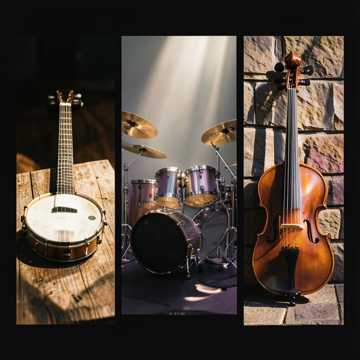
Traditional bluegrass gospel prayer and praise, mid-tempo with a strong, natural swinging rhythm and prominent walking bass throughout. Full drum set with kick, snare, hi-hat, and cymbals, tightly locked into the groove. Begin with a short acoustic guitar intro, then bring in the full band early. Driving banjo, mandolin, fiddle, dobro, and crisp acoustic guitar picking. Keep the arrangement full and energetic throughout, with no sparse sections, dropouts, or disappearing bass and drums. Strong, expressive male solo lead vocal. Prioritize beautiful natural melisma, rich vibrato, sustained notes, and flowing gospel runs, especially at phrase endings. Emotional, heartfelt delivery, clear pronunciation, natural phrasing, and unhurried lyrics. Minimal backing harmony, no constant quartet singing. Rich, noticeable reverb on vocals and instruments, creating a spacious, resonant sound without muddying the mix. Warm, balanced production with an uplifting, joyful, reverent worship atmosphere.
Describe a genre and emotional direction that suit the words. A reflective lyric about leaving home might call for an intimate arrangement rather than a large, triumphant chorus. Listen for whether the phrasing serves the story. The result can help you decide which lines deserve another writing pass, even when the first arrangement is not the one you keep.
For a game menu, describe a mood that can support repeated listening without demanding attention. Those are different listening jobs even if both use soft synthesizers. Audition the music against the material it will accompany, rather than judging only how impressive it sounds by itself. Timing, editing, and the final level against narration remain decisions for your production workflow.
Start with the intended use, a genre or combination that makes sense, the mood, and a few important instruments. For example: a gentle folk song for a farewell scene, acoustic guitar and restrained percussion, with a hopeful final chorus. State a clear priority if several qualities matter. The AI music generator can interpret these instructions, but a requested instrument, exact tempo, or section length is not a guaranteed performance specification.
Use the vocal choice for a sung result, or choose instrumental when you do not want singing. If you supply custom lyrics, add a musical style and check the text before submitting. A task title helps you identify the work; the creative description guides the music. Sign in and review the displayed credit cost and visibility setting. Free-plan generated results are public, while subscribers can choose private results before generation.
After the task completes, listen to the available candidates beyond their openings. Compare how each moves into its main section, handles vocal phrasing, and ends. Keep your listening question specific: which version supports the lyric, leaves enough room for speech, or creates the right energy? Download the result you choose and retain a local backup. The account Library keeps the task accessible without making every generated result private.
A coherent contrast is more helpful than a contradiction.
An intimate verse that opens into a larger chorus gives an arrangement a direction. Asking the entire track to be both sparse and constantly explosive leaves the priority unclear. Describe a change across the song when that is what you mean. Avoid treating a prompt as a mixing console that can set every sound independently.
Use a new generation to test one decision.
If the first draft feels too busy for narration, reduce the requested density before changing its genre, instruments, and mood as well. Write down what improved in the next result. This is a practical way to compare creative choices, not a promise of exact repeatability. Generated arrangements vary, so keep the versions that answer your brief most clearly.
No. This page starts from a text description or custom lyrics. You can explain the sound, structure, and mood in words. If the idea depends on an existing recording, a reference-audio workflow is a different starting point; a plain text prompt does not upload or analyze that recording.
Yes. Choose Instrumental and describe the musical role you need. You do not have to provide lyrics for an instrumental. Listen to the completed result before using it, and make any timing or arrangement changes your project requires outside the initial generation request.
No. A description can request a structure or intended length, but the completed audio is the result to evaluate. There is no universal bitrate, sample-rate, or fixed completion-time promise for every song. Use the files actually offered on the result page and keep a downloaded copy of important work.
Select Custom Lyrics and paste lyrics you wrote or have permission to use. Describe the musical style in the separate style field and choose vocals. Sign in, review the credit cost and result visibility, then generate and listen to the result.
Choose what the first draft must accomplish, prepare the prompt or lyrics, and generate a version you can judge against that purpose. Continue when you can name the musical choice you want to change, rather than repeating the same request without a listening goal.